
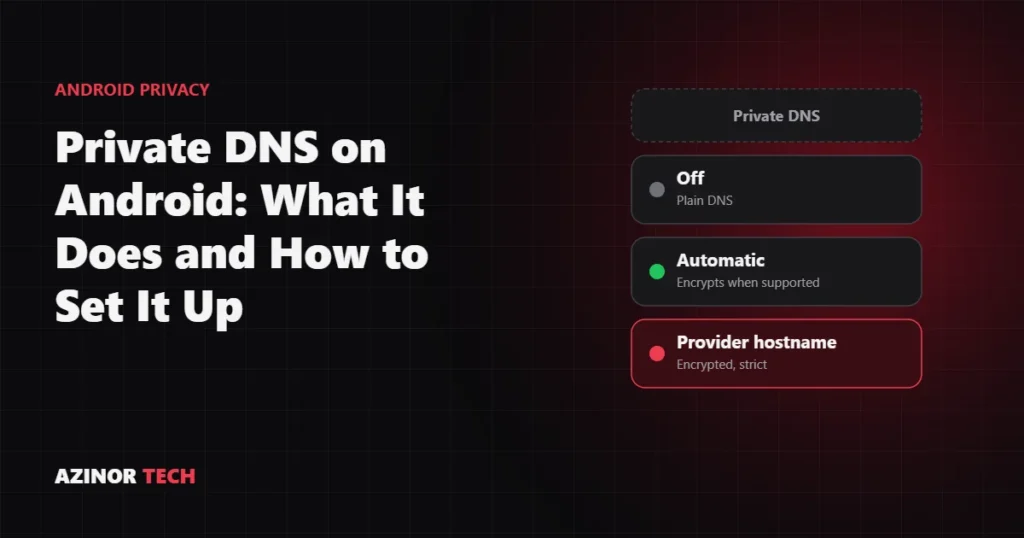
Private DNS is an Android setting that encrypts the DNS lookups your phone makes, so the Wi-Fi or mobile network cannot read or change which domain names you look up. It is available on Android 9 and later under Settings > Network & internet > Private DNS, with three options: Off, Automatic and Private DNS provider hostname. It protects only DNS. It does not hide your IP address or encrypt the rest of your traffic the way a VPN does.
This guide explains what each mode does, which hostnames work, how to check that it is active, and how Private DNS compares with a VPN app.
What Private DNS does
Almost every connection starts with a DNS lookup: your phone asks a DNS server to turn a name such as example.com into an IP address. Traditional DNS sends that question and answer unencrypted, so anyone on the network path can read or tamper with them.
Google added Private DNS in Android 9 using DNS over TLS (DoT), the same TLS encryption that protects HTTPS websites (Android Developers Blog, 2018). In 2022 Google added DNS over HTTP/3 (DoH3) through a Google Play system update: devices from Android 11 onwards use DoH3 instead of DoT for well-known servers that support it, which were Google DNS and Cloudflare DNS at launch (Google Security Blog, 2022). The DNS provider stays the same; only the encrypted transport changes.
Google’s own help page puts the limit plainly: Private DNS helps secure only DNS questions and answers and cannot protect anything else (Android Help).
The three Private DNS modes
| Mode | What Android does | Good for | Watch out for |
|---|---|---|---|
| Off | Uses the network’s DNS server without encryption | Troubleshooting a network that blocks encrypted DNS | Lookups can be read or changed on the network |
| Automatic | Encrypts DNS when the network’s DNS server supports it; otherwise uses normal DNS | Most people; it is the default | Protection depends on each network; no encryption if the server does not support it |
| Private DNS provider hostname | Sends all lookups, encrypted, to the provider you name | Choosing your DNS provider on every network, including mobile data | If Android cannot reach that server, it marks the network as having no internet |
Automatic is opportunistic: it improves privacy when possible but does not insist on it. The hostname mode is strict: Android sends all DNS queries over a secure channel to that server or treats the network as having no internet access. Google’s DNS documentation describes the same difference as “opportunistic” and “strict” privacy profiles (Google Public DNS).
How to set up Private DNS on Android
- Open the Settings app.
- Tap Network & internet, then Private DNS. On older versions it may be under Advanced, and some manufacturers place it elsewhere, so search Settings for “Private DNS” if you cannot find it.
- Choose Automatic, or choose Private DNS provider hostname and type a provider’s hostname.
- Tap Save.
- Open a few websites and apps to confirm that everything still loads.
The field needs a hostname, not an IP address. Typing 1.1.1.1 or 8.8.8.8 does not work there.
Private DNS provider hostnames
These hostnames are published by the providers themselves. We list them for reference, not as a ranking.
| Provider | Hostname | Filtering |
|---|---|---|
| Google Public DNS | dns.google | No filtering |
| Cloudflare 1.1.1.1 | one.one.one.one | No filtering |
| Cloudflare 1.1.1.1 for Families | security.cloudflare-dns.com | Blocks malware |
| Cloudflare 1.1.1.1 for Families | family.cloudflare-dns.com | Blocks malware and adult content |
| Quad9 | dns.quad9.net | Blocks known malicious domains |
Choosing a provider moves trust rather than removing it. Your network can no longer read your lookups, but the DNS provider you choose can, so read its privacy policy. A filtering resolver may also block a site you actually want to reach.
How to check that Private DNS is working
- Settings: after you save a hostname, Android checks the connection. If the hostname is wrong or unreachable, the network shows as connected without internet.
- Provider test page: some providers offer a check page. Cloudflare’s 1.1.1.1/help page, for example, shows whether your lookups reach Cloudflare and which encrypted transport is in use.
- Everyday test: if websites and apps load normally on both Wi-Fi and mobile data, the setting is working for you.
What Private DNS does not hide
- Your IP address. Websites and apps still see your normal public IP.
- Which servers you connect to. Your network can still see the IP addresses your phone talks to, and often the website name sent at the start of an HTTPS connection.
- Your traffic itself. Private DNS does not encrypt anything except DNS. Website encryption still depends on HTTPS.
- Apps that do their own DNS. Google noted that apps which perform their own DNS queries instead of using the system resolver must handle encryption themselves.
Private DNS vs a VPN app
| Private DNS | VPN app | |
|---|---|---|
| What is encrypted | DNS lookups only | All traffic routed through the tunnel, usually including DNS |
| IP address websites see | Your own | The VPN server’s |
| Who sees your lookups | Your chosen DNS provider | Usually the VPN provider’s DNS |
| Covers the whole phone | Yes, for DNS | Yes, for routed traffic |
| Extra app needed | No, built into Android 9+ | Yes |
Private DNS is a simple, built-in improvement worth keeping on. A VPN app solves a different problem: it hides your IP address from websites and protects all routed traffic on untrusted Wi-Fi. The same split exists on computers, where a browser tool covers far less than a device-wide app; see browser VPN vs VPN app.
Using Private DNS with a VPN app
A VPN app usually sets its own DNS servers for the tunnel, and how it handles Android’s Private DNS setting depends on the app. If websites stop loading only while the VPN is connected and you have set a strict hostname, switch Private DNS to Automatic and test again. If the VPN app documents its own DNS behaviour, that documentation takes priority over general advice.
Worked example: one phone, three situations
This is an illustrative example. A user switches between home Wi-Fi, a café hotspot and mobile data:
- Automatic only: lookups are encrypted where the network’s DNS server supports it. On the café network, which may not support it, lookups can fall back to plain DNS.
- Hostname set to a public resolver: lookups are encrypted to the same provider on all three networks. If the café blocks that resolver, the phone shows no internet until the user switches to Automatic.
- Hostname plus a VPN app on the café Wi-Fi: the VPN hides the user’s IP address and protects other traffic as well, which Private DNS alone cannot do.
Frequently asked questions
Should I turn on Private DNS?
Yes, for most people. Google’s help page recommends keeping it on, and Automatic is the default. Choose a provider hostname if you want encrypted DNS with the same provider on every network.
Which Private DNS hostname is best?
There is no single best one. Pick a provider whose privacy policy you accept, and decide whether you want filtering. dns.google and one.one.one.one do not filter; Quad9 and Cloudflare’s family hostnames block some domains.
Does Private DNS hide my browsing from my internet provider?
Only partly. It hides your DNS lookups from the network, but your provider can still see the IP addresses you connect to and often the website names sent when HTTPS connections start.
Why does my phone say “No internet” after I set Private DNS?
The hostname mode is strict. If Android cannot reach the server you entered, because of a typing mistake or a network that blocks encrypted DNS, it treats the network as having no internet. Check the spelling or switch to Automatic.
Where AZINOR TECH stands
AZINOR TECH publishes the RedVPN Android app, a separate VPN app built on WireGuard. Its Google Play listing says it routes your traffic through a server in Frankfurt, Germany and resolves DNS lookups on that server inside the tunnel. The listing also says it is in an early access phase, during which you may need an invite code to connect. Read its privacy policy for what it processes. For Chrome only, RedVPN for Chrome is a browser proxy that covers Chrome traffic, not the whole device.
Sources
- Android Developers Blog, DNS over TLS support in Android P Developer Preview (April 2018)
- Google Security Blog, DNS-over-HTTP/3 in Android (July 2022)
- Android Help, Advanced network settings: Private DNS
- Google Public DNS, DNS-over-TLS
- Cloudflare Docs, Set up 1.1.1.1 on Android
- Quad9, Enable Private DNS using Quad9 on Android 9
Sources reviewed 17 November 2026. Menu names vary by Android version and manufacturer.