
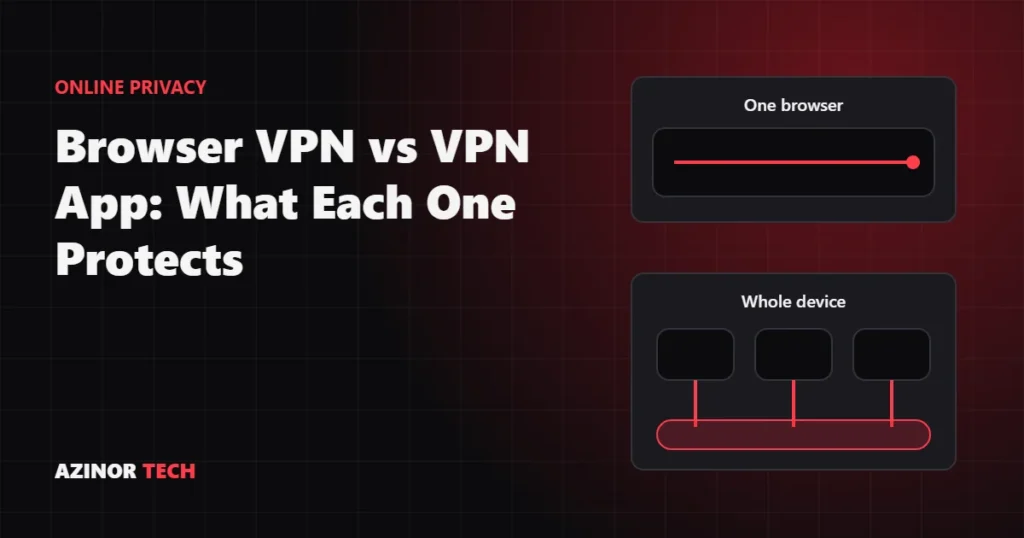
A browser VPN extension normally changes the route for one browser only, while a VPN app can route traffic from the whole device. If you only care about what you do in Chrome, an extension may be enough. If you also care about other apps, background services or DNS lookups outside the browser, you need a device-level VPN. Neither one makes you anonymous.
The confusing part is the name. Many products called “VPN extensions” are really proxies with a friendly interface, so the label tells you less than the mechanism does.
The short version
| Question | Browser proxy or extension | Device-level VPN app |
|---|---|---|
| What is covered? | Traffic from that browser | Device traffic, unless the app or the user excludes some apps |
| Other apps and browsers | Not covered | Covered when routed through the tunnel |
| Install effort | Add to the browser | Install an app and approve a VPN connection |
| Failure behaviour | Depends on the extension | Depends on the app; Android can also block traffic without a VPN |
| Good fit | Browser-only tasks, or a device you cannot change | Public Wi-Fi, mixed app use, protection beyond one browser |
What a browser extension can actually control
Chrome gives extensions a specific tool for this: the chrome.proxy API, which Google describes as a way to manage Chrome’s proxy settings. That scope is the key limit. An extension using it is changing how Chrome connects. It is not installing a network tunnel for your computer.
So when a mail client, a game launcher, another browser or a system update connects to the internet, it does not pass through that extension. Your real IP address is still what those services see.
A proxy can still be useful. It can change the IP address websites see in that browser, and it can be quick to switch on. Whether the connection between your browser and the proxy is encrypted depends on how the service is built, so check the provider’s documentation rather than assuming it from the word “VPN”.
What a device-level VPN changes
On Android, VPN apps are built on the system’s VPN service. Android’s developer documentation describes an app reading outgoing packets from a virtual interface, encrypting them and sending them to a gateway. If no allow or disallow list is set, the system sends all network traffic through the VPN.
The same documentation describes three controls worth knowing:
- Per-app rules. A VPN app can include or exclude specific apps, so “device-level” does not always mean “every app”.
- Always-on VPN. On supported versions, Android can start the VPN at boot and keep it running.
- Block connections without VPN. This lockdown setting stops traffic that does not use the VPN, which can also cut off apps that do not work with it.
Three everyday scenarios
Booking a hotel on café Wi-Fi from your laptop
If the browser is the only thing you are using, a browser-only tool covers that browsing. But your laptop may be syncing files and mail in the background over the same Wi-Fi. A device VPN is the better match if you want those connections routed too.
Working on a managed company laptop
You may not be allowed to install a VPN app, and company policy may also restrict extensions. Ask your IT team first. A VPN or proxy changes where traffic goes, and it can conflict with the company’s own security tools.
Using your phone all day
Most phone activity happens in apps rather than a browser, so a browser-only tool misses most of it. This is the case where a device-level VPN makes the clearest difference.
What neither one does
Changing your IP address does not remove the other ways a site can recognise you. If you log in, the site knows your account. Cookies and browser fingerprinting still exist. Neither tool can tell you a download is safe or stop you from typing a password into a phishing page.
You are also moving trust. Your internet provider sees less, but the VPN or proxy operator is now in a position to see connection data. Read what the operator says it collects and for how long. The US Federal Trade Commission’s tips on VPN apps make similar points: research the app, look at the access it requests, check that it encrypts your information and find out whether it shares your data with third parties. They were published in 2018 and written for phones, but the questions still apply. For extensions in particular, our guide on how to check if a Chrome extension is safe covers permissions, publishers and updates.
How to check what your setup protects
- Note your normal public IP address using any IP-check site, with the tool switched off.
- Connect, then check again in the protected browser. The address should change.
- Open a second browser and check there. With a browser-only tool, it should still show your real IP. That is expected.
- Run a DNS and WebRTC leak test from a source you trust, and compare the results with the provider’s claims.
- Stop the connection unexpectedly, for example by disabling the network and re-enabling it, and see whether traffic goes out directly before you reconnect.
This takes a few minutes and tells you more than any feature list. A single clean result is not a security audit, though. It shows what happened on that device, on that day.
How to choose
- Choose a browser-only tool if your need really is limited to one browser and you can accept that everything else stays outside.
- Choose a device VPN if you use several apps, want protection on a phone or simply do not want to think about which app is covered.
- Use neither as a substitute for updates, strong passwords, two-factor sign-in and care with links.
Frequently asked questions
Is a browser VPN a real VPN?
Sometimes the name is more marketing than mechanism. Many browser products work as proxies for that browser’s traffic. Check whether the provider says it creates a device-wide tunnel. A browser extension on its own normally does not.
Does a VPN extension protect other apps?
No, not if it only manages the browser’s proxy settings. Other apps and browsers keep using your normal connection. A companion desktop app is a different thing, so check which of the two you have installed.
Is a proxy safer than a VPN?
Neither is automatically safer. They cover different amounts of traffic, and the operator’s practices matter in both cases. For protection beyond one browser, a device VPN from an operator you trust is the stronger fit.
Does a VPN make me anonymous?
No. It changes the IP address services see and can protect traffic on the local network. Accounts, cookies and fingerprinting can still identify you, and the VPN operator becomes part of the path.
Where RedVPN fits
We build both kinds of tool, so here is the distinction applied to our own software. RedVPN for Chrome is a browser-only proxy that routes Chrome traffic through a server in Frankfurt; other apps are not covered. It is available on the Chrome Web Store, and sign-in during the private beta needs an invite code. RedVPN for Android creates a WireGuard tunnel using Android’s VPN service, and while connected it sends device traffic and DNS lookups through the server.
RedVPN for Android has been submitted for review and is not publicly available yet. You can read about RedVPN for Chrome or see all our products and their status, and you can see exactly what each one processes in the RedVPN for Chrome privacy policy and the RedVPN for Android privacy policy. Questions are welcome through our contact page.